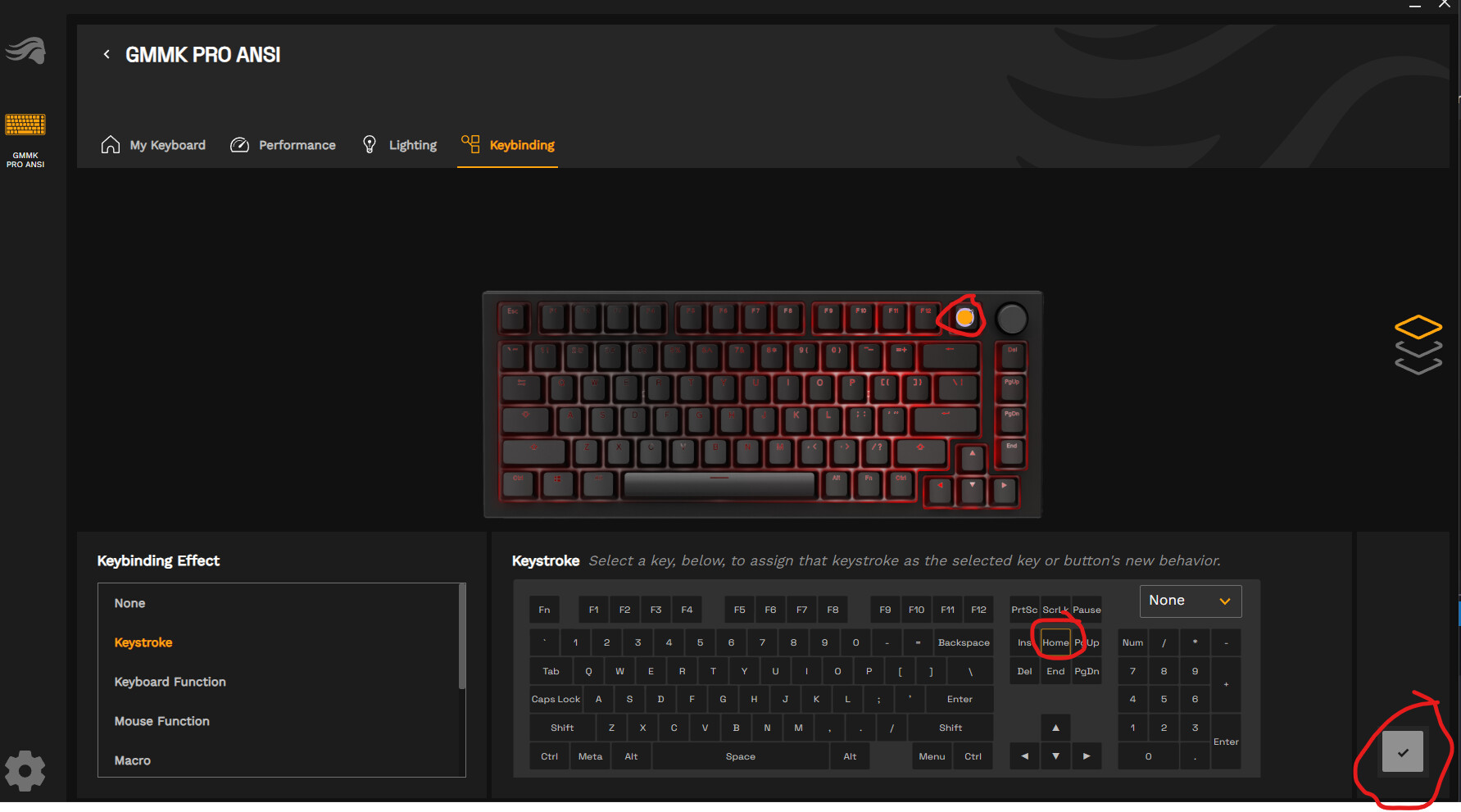
I was really hopeful that the new release was going to fix some basic issues. Right off the bat… They FINALLY have the ability to rebind a key to HOME. However, this is currently not working on all keys. I’ve bound the PrtSc key to HOME (like I was able to do in Core 1.0) and it just won’t work. When I press the key, it still performs the printscreen function. I’ve posted a screenshot below with this issue that has been persistent since they launched Core 2.0. It’s wild to me that this basic functionality is still missing when it was present in the original software.
2 Likes
I’ve seen the same thing on my GMMK 3 HE
1 Like
I’ve never seen such terrible software in my life!
Everything except the appearance is a failure!
I get the feeling that they don’t care at all about inconveniencing users.
Is this company only interested in selling?
Now my numpad doesn’t even recognize it
@NemesisTType @tecmo34 I’ve shared the issue you’re running into with our devs. I know some key rebinds have known issues we’re working on, but prtsc was not one I was aware of. If you want to reach out to Support to see if they can help troubleshoot, that’d be my suggestion, but they may end up just letting you know a fix is in the works.
Either way, I will update here if I get any more details from our devs about when a fix for similar binding issues will be deployed.
Also whilst your at it tell them to add the ability to layer RGB effects. This is something we’ve been told is coming since Core 1 or the devs are have been made aware but it never happens. Just simple things like having all keys set to a steady colour and then layering pass without trace so when you press a key it changes colour and then fades back to the assigned steady colour!
It not only looks cool but can be helpful when typing passwords etc
Here to share an update now that 2.1.7 is out. Numpad is showing again, so that’s good to see. With that said, still running into the same issue with binding PrtSc to be the HOME key (which I’ll remind was a feature in Core 1.0). In the software, I can select the key and select the keybind, but even after applying and the software seemingly showing that it applied my settings, the key continues to act as PrtSc. I’ve checked this by applying the HOME binding to other keys and can confirm the change sticks for those, just not PrtSc.
1 Like